NoteThink
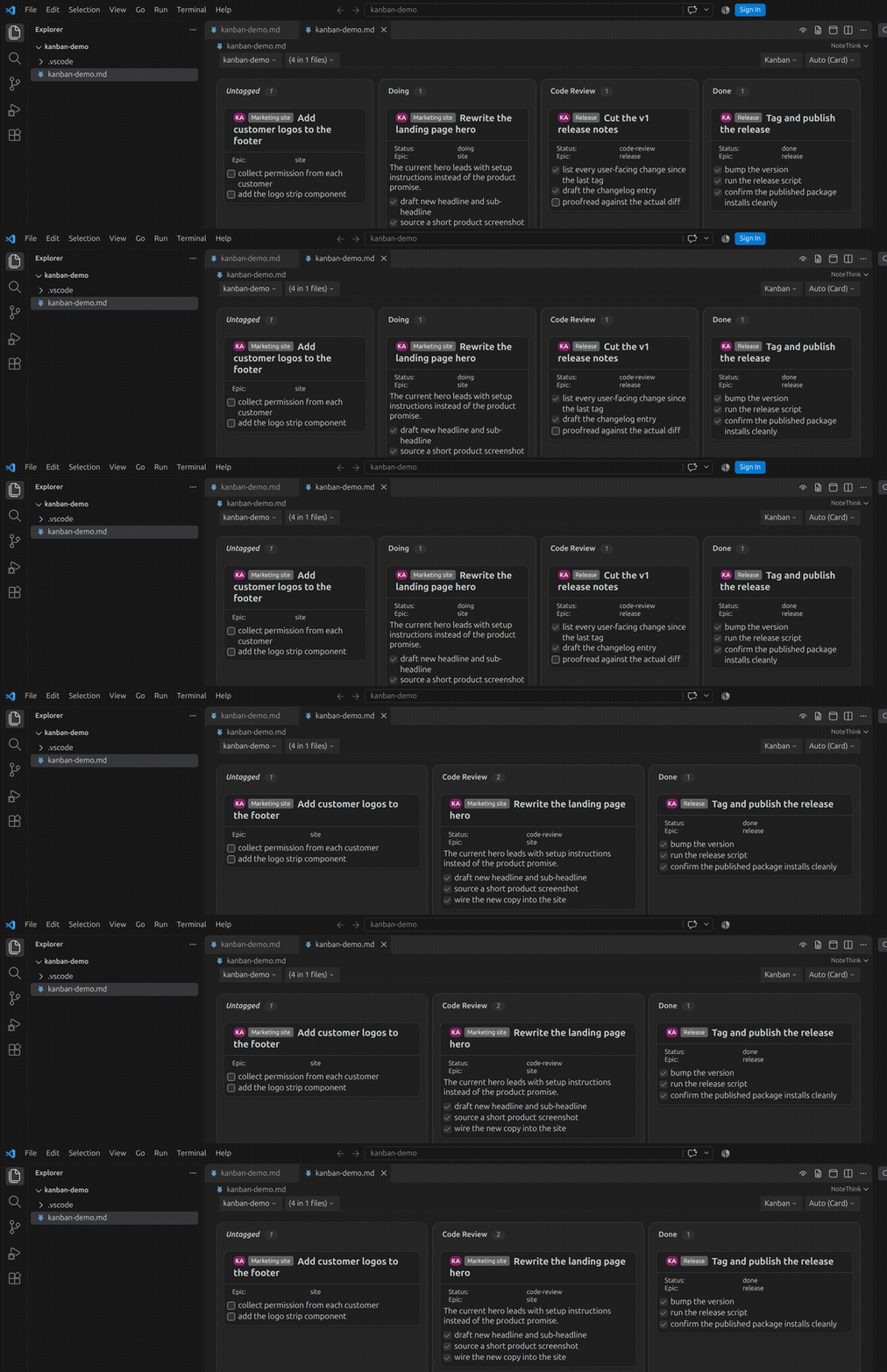
Your todo.md is already a project board. NoteThink renders any markdown file - a plain checklist, a full todo.md / done.md pair, or a whole folder of them - as a live Kanban board, a single-lane Line view, or a structured Document view, right inside VS Code. Nothing to sign up for, nothing to sync: it reads the markdown you already have, live. Drag a card or tick a checkbox and NoteThink writes exactly that change back to the file - nothing else changes unless you drag or tick something yourself; it is not a free-text editor.
Install NoteThink from the Visual Studio Marketplace
What it does
- Kanban and Line boards - group stories by status, assignee, or any attribute you author in plain markdown links - drag a card to rewrite its status (or grouping attribute) linetag in the file
- Document view - the same file, read top to bottom, nested and structured
- Folder mode - aggregate every markdown file in a folder into one board, so a monorepo's
todo.mdfiles become one view - Live updates - edit the file in the normal text editor and the view updates in place, debounced
- Agent activity - see which AI coding agents (Claude Code, Codex, Grok) are working on which story, live, by reading each vendor's local session files directly on disk - no network call, no vendor integration required
- Linetags - plain markdown links carry status, epic and other attributes invisibly, so the file still reads and renders normally on GitHub
- Writes back two things, precisely - a card drag and a checkbox click, and nothing else. Not a free-text editor
See it
| Document | Kanban | Line |
|---|---|---|
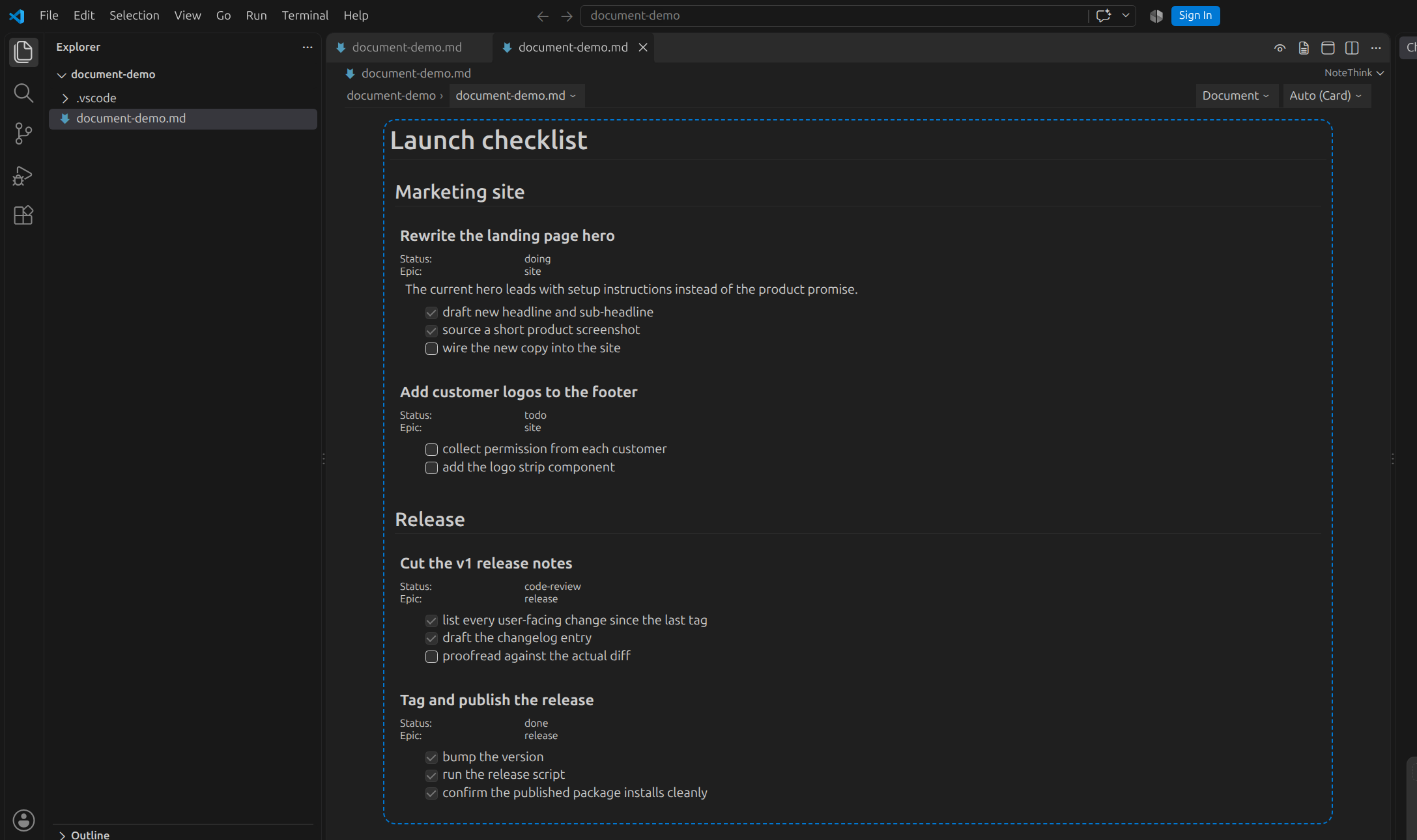 | 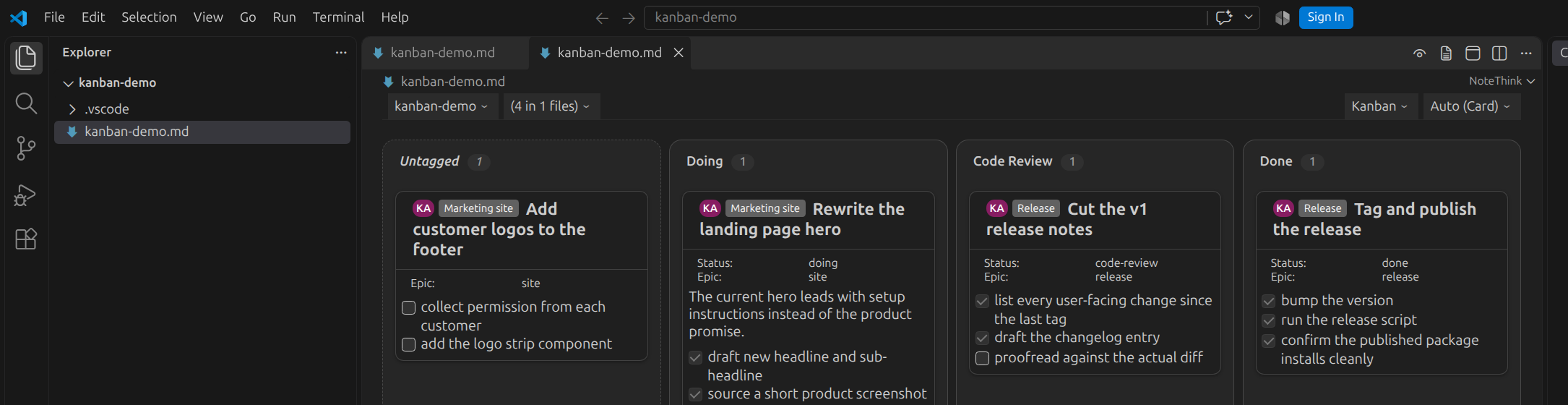 | 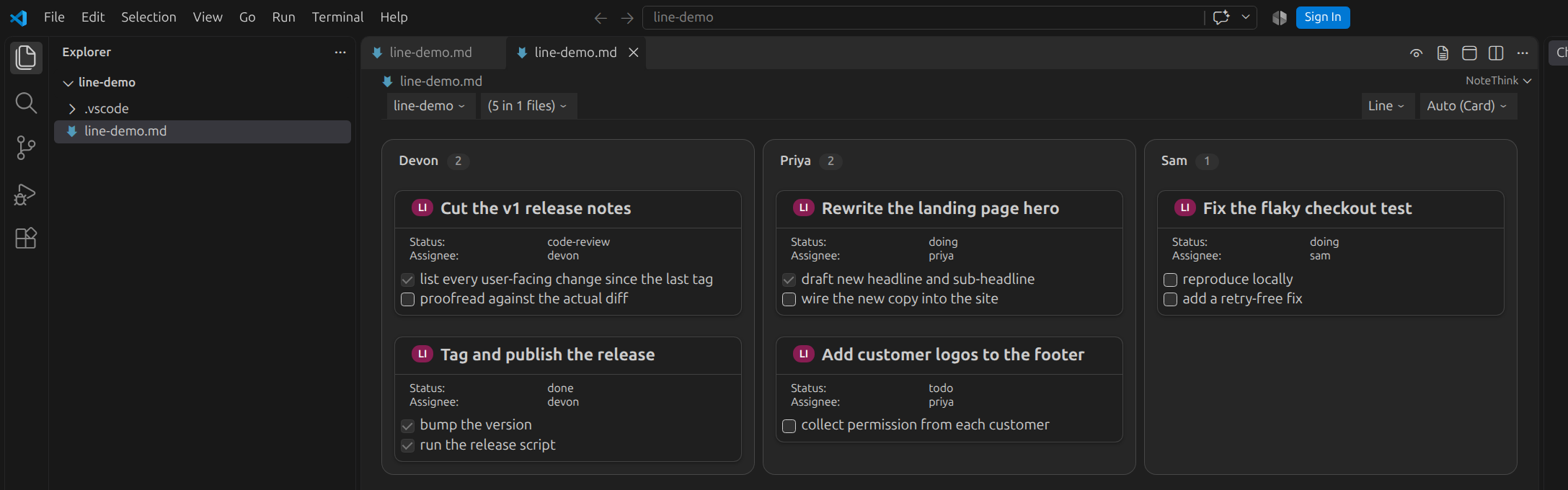 |
Document view reads a file top to bottom, exactly as written, with headings and lists rendered as nested, structured notes. Kanban view groups the same notes into columns by status, or any attribute you choose - drag a card between columns and NoteThink writes the new value straight back to the file. Line view groups notes into a single-lane list by any attribute at all, not just status - useful when a board has too many possible states for columns to make sense, and drag works there too.
How it works
NoteThink parses the markdown you already have - no proprietary format, no database, no cloud sync. A story's status, epic and other attributes live as ordinary markdown links with query-style parameters ([](?status=doing)), invisible when the file renders as plain markdown anywhere else - GitHub, another editor, a terminal cat - but structured metadata the moment NoteThink opens it. See the linetag grammar for the full syntax.
Try the underlying editor
Want to see the same rendering engine driving a full browser-based markdown workbench, backed by a real GitHub repository? Take a look at NoteGit, the sibling product NoteThink's viewer is built from.
Status
NoteThink is in Preview / Beta - an early release. It is free, open source (Apache-2.0), and installs in seconds:
code --install-extension NoteThink.notethink